

How to Get the Featured Badge for Your Chrome Extension: A Complete Guide
ExtensionBooster Team
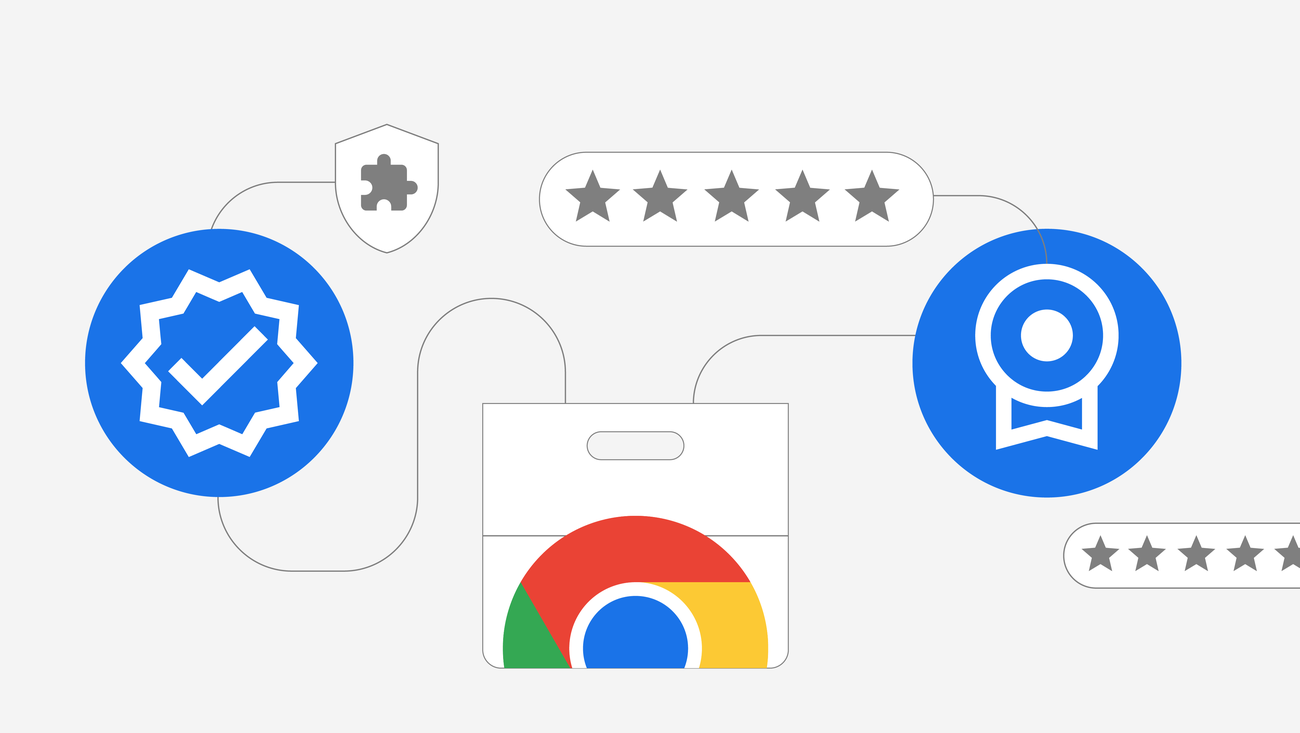
Earning a Chrome extension Featured badge is one of the most effective ways to build credibility and stand out in a crowded marketplace. If you’ve ever browsed the Chrome Web Store and noticed certain extensions sporting this distinctive badge, you’ve probably wondered how they earned it.
That small badge carries significant weight—it signals to users that Google’s own team has reviewed and approved your extension for quality, security, and user experience.
In this guide, we’ll walk you through everything you need to know about getting the Chrome extension Featured badge—from requirements to the nomination process and pro tips for success.
What Is the Featured Badge?
The Featured badge is a trust indicator assigned by Chrome team members to extensions that demonstrate excellence in three key areas:
- Technical best practices — Your extension follows Chrome’s development guidelines and uses modern APIs
- User experience — The extension provides an intuitive, polished interface
- Privacy and security — You respect user data and comply with Chrome Web Store policies
Unlike paid promotional placements, the Featured badge cannot be purchased. It’s earned through merit alone.
Why Does the Chrome Extension Featured Badge Matter?
Getting your Chrome extension Featured badge offers several advantages for developers:
Increased Trust — Users are more likely to install extensions that carry Google’s implicit endorsement. The badge signals that your extension has been manually reviewed and approved.
Better Visibility — Featured extensions may appear in premium placements including:
- Homepage marquee banner
- Editor’s Picks section
- Curated category collections
Competitive Edge — In a marketplace with thousands of extensions, the badge helps you stand out from alternatives.
However, it’s worth setting realistic expectations. According to developers who’ve earned the badge, it doesn’t automatically guarantee massive traffic increases. External marketing and a strong landing page remain essential for growth.
Requirements to Qualify
Before nominating your extension, ensure it meets these mandatory criteria:
Eligibility Requirements
| Requirement | Details |
|---|---|
| Item Type | Must be an extension (themes don’t qualify) |
| Ownership | You must own the extension you’re nominating |
| Language | Must support English |
| Status | Published and publicly available |
| Policy Compliance | No active policy violations |
| Accessibility | Core features must work without login or payment |
| Manifest Version | Must be built with Manifest V3 (required since June 2024) |
Quality Standards
Chrome team members evaluate extensions based on:
-
Functionality — Does your extension solve a real problem? Does it offer unique value?
-
Quality — Is it polished and bug-free? Do you provide regular updates and respond to user feedback?
-
Design — Is the interface visually appealing and intuitive? Does it align with Chrome’s aesthetic standards?
-
Store Listing — Does your listing have:
- Clear, compelling title and description
- High-quality screenshots
- Promotional images that showcase key features
- A demonstration video (recommended but not required)
-
User Trust — Strong ratings and positive reviews strengthen your nomination.
How to Submit Your Nomination: Step-by-Step
Once your extension meets all requirements, follow these steps:
Step 1: Access the One Stop Support Form
Navigate to the Chrome Web Store Support page and sign in with your developer account.
Step 2: Select the Nomination Option
Under the support categories, look for:
My item → I want to nominate my extension to receive a Featured badge
Step 3: Provide Required Information
You’ll need to submit:
- Publisher email — Your developer account email
- Extension ID — Found in your extension’s URL or dashboard
- Connected domain — Your verified developer domain (if applicable)
Step 4: Confirm Compliance
Acknowledge that your extension follows Chrome Web Store best practices and submit your request.
Step 5: Wait for Review
Typical timeline: 7 days, though reviews can take up to 30 days during busy periods.
If approved, your badge will appear on your store listing within one hour of receiving the notification.
Pro Tips for a Successful Nomination
Based on insights from developers who’ve earned the badge:
Don’t Rush the Process
Allow your extension to build organic traction first. A history of positive reviews and active users strengthens your case.
Polish Your Store Listing
First impressions matter. Invest time in:
- Writing clear, benefit-focused descriptions
- Creating professional screenshots with annotations
- Adding a demo video that shows your extension in action
Keep Your Extension Updated
Extensions that receive regular updates and respond to user feedback demonstrate active maintenance—a quality Google values.
Avoid Spammy Submissions
Submitting repeatedly or prematurely can work against you. Some developers report shadow-banning for excessive nomination attempts. Make sure you genuinely meet all criteria before applying.
Build External Credibility
While not a direct requirement, having:
- A professional website
- Active social media presence
- Press coverage or blog mentions
- Verified publisher status
…all contribute to the perception of trustworthiness.
What Happens If You’re Not Approved?
Don’t be discouraged. You can resubmit your nomination every 6 months. Use the intervening time to:
- Address any feedback provided
- Improve your extension’s quality and features
- Build up positive user reviews
- Enhance your store listing
The Established Publisher Badge: An Alternative Path
While working toward the Featured badge, consider also qualifying for the Established Publisher badge. This badge is granted automatically when:
- Your identity is verified with Google
- You maintain a consistent positive track record
- You demonstrate ongoing compliance with developer policies
Nearly 75% of Chrome Web Store extensions carry this badge, making it a more accessible milestone.
Quick Reference: Featured Badge Checklist
Before submitting your nomination, verify:
- Extension runs on Manifest V3
- No policy violations
- Core features work without login/payment
- Professional store listing with quality images
- Positive user reviews and ratings
- Regular updates and maintenance
- English language support
- Privacy-respecting data practices
Ready to submit? Visit the Chrome Web Store One Stop Support to nominate your extension.
Conclusion
The Chrome extension Featured badge represents Google’s recognition that your extension meets a high bar for quality, security, and user experience. While it won’t single-handedly transform your download numbers, it provides a meaningful trust signal that complements your broader marketing efforts.
Focus on building a genuinely excellent extension first. The badge will follow.
Need to boost your store listing? Use our Screenshot Makeup Tool to create professional Chrome Web Store screenshots that convert.
Want to increase your extension’s visibility? Create your developer showcase on ExtensionBooster to get SEO backlinks and professional profiles that help users discover your extension.
Related Articles
5 Best Email Marketing Services to Grow Your Chrome Extension (2026)
Compare the top email marketing platforms for SaaS and Chrome extension developers. MailerLite, Mailchimp, Brevo, ActiveCampaign, and Drip reviewed.
How to Boost Your Chrome Extension's Visibility with SEO Backlinks
Boost your Chrome extension's discoverability with ExtensionBooster's developer showcase. Get quality SEO backlinks and professional profiles.
The Extension Trust Crisis: Why Reviews Matter More Than Ever After 260K Users Got Hacked
260K Chrome users fell victim to fake AI extensions. Learn why authentic reviews are now critical for extension developers.